
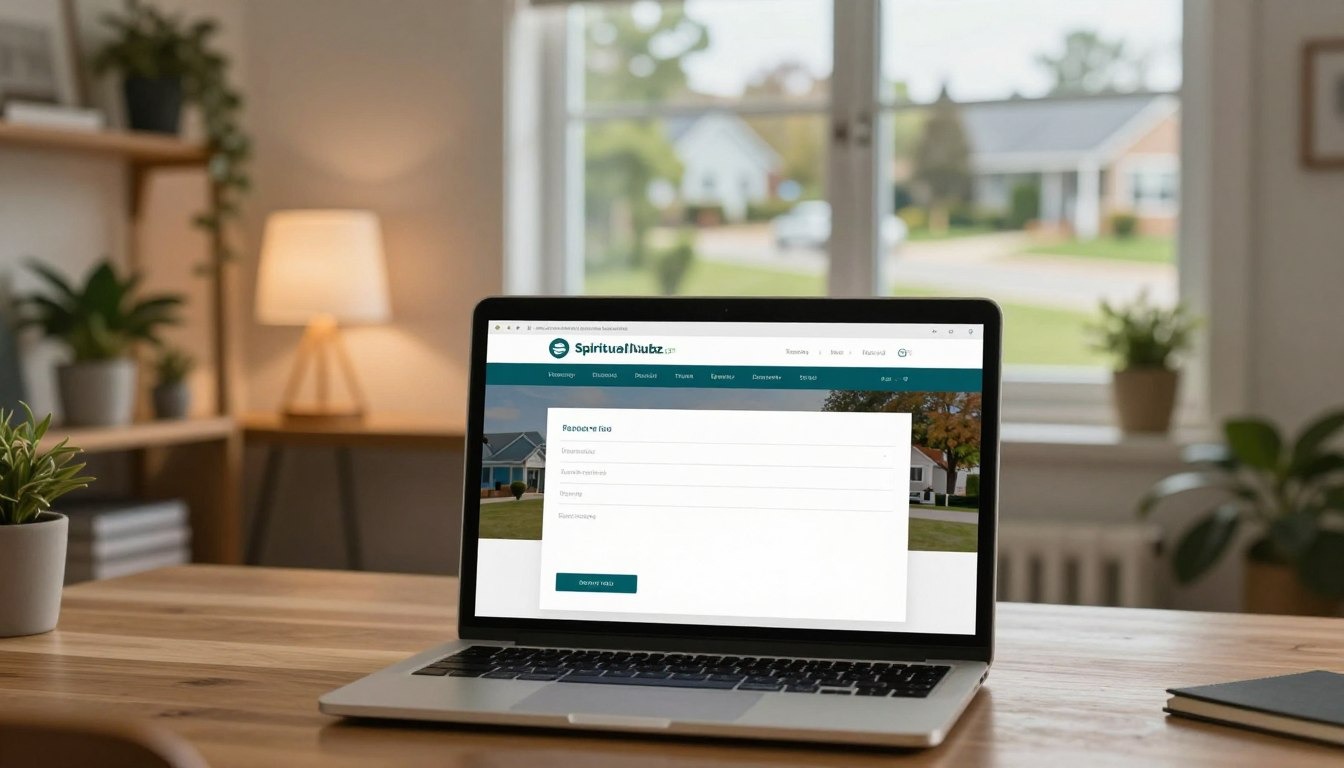
I can point you to Spiritualhubz.com’s official contact page, the simplest place to start if you have a question, feedback, or a privacy request. Spiritualhubz.com publishes spiritual and wellness content, so a reader might need to ask about a guide or report a detail. The official contact page is the clearest place to begin.
I’ll show you how to find the page, write a useful message, and check whether the form appears to work. HTTPS is a web connection that encrypts data traveling between a visitor’s browser and a website. That protection applies while information travels, not to every later use of it.
You can also send a privacy request by email. Keep the request focused on the action or answer you need, and share only details that help identify it. A clear subject can help the recipient recognize the purpose without reading the full message first.
This route is useful for a reader with a quick question, a correction, or a concern about personal data. I’ll keep the steps practical, so you can choose a suitable channel and avoid sending extra information. For a message about your personal data, use the subject line “Privacy request” so its purpose is clear.
Spiritualhubz.com Contact: Start With the Official Page
Start with Spiritualhubz.com’s own contact page rather than a phone number or address copied from an unrelated directory. The official page is the site’s online starting point for a contact message. The publicly visible route is online, and the page does not display a phone number or physical address.
A search result or business listing may show details for another business with a similar name. A listing alone does not prove that Spiritualhubz.com runs a separate office or phone service. The contact page is the route I would use for a question about the website or its content.
Use the contact page on Spiritualhubz.com itself. A phone number or street address on an unrelated listing is not proof of a site-run contact channel.
This distinction matters if you need support and want your message to reach the right team. A directory entry can be old, incomplete, or about a different organization. I would not treat a number found away from the official website as a verified way to reach this site.
The contact page also does not promise that every kind of service or support is available. It gives visitors an online way to send an inquiry, but a contact page is not proof of a separate office, public phone line, or in-person service. Keep your first message tied to the site’s published content or a clear question.
When you open the page, check that the browser address belongs to the intended website before entering anything. That quick check helps distinguish the official page from a copied page or an unrelated result. Check the domain spelling in your browser before entering information.
Find the Official Contact Page
If you are already on the site, look for Contact Us in its navigation or footer. The site navigation and footer provide the direct route, and the page address is /contact. Use Spiritualhubz.com’s own menu or footer instead of an outside directory.
Use the Site Navigation or Footer
On a phone, the navigation may sit behind a menu button. Open that menu and choose Contact Us. On a computer, the same option may appear in the top navigation or in the footer at the bottom of a page.
If the page is long, the footer can be easier to find by scrolling to the bottom. The Contact Us label should take you to the site’s contact page, not a third-party profile. The page can also be opened directly at spiritualhubz.com/contact.
Check the Domain Before You Write
Confirm that the browser shows the spiritualhubz.com domain and that the page address ends in /contact. Similar names in search results can lead to different websites. A familiar logo alone is not enough to confirm that a page belongs to the intended site.
- Open Spiritualhubz.com in your browser.
- Select Contact Us from the navigation or footer.
- Confirm the page address is /contact.
The steps work on a phone or computer, though menu placement can vary. If you arrive through a search result, check the address bar before moving on. If a search result opens a different domain, return to Spiritualhubz.com before submitting anything.
Complete the Form With the Right Details
A useful form submission tells the recipient what you need without making them search through a long, unfocused message. The subject and message should explain the reason for writing and identify any relevant article. Review both fields before you submit.
The contact form accepts a subject and message. Start with the main point, then add a page title or a short detail that helps the recipient understand the issue. For an article question, name the guide and the point that prompted your message.

A short note is often easier to act on than a long account of every detail. Keep the subject and message aligned, so the subject does not suggest one request while the body asks for another. If the page offers separate fields, use each one for its stated purpose.
Before submitting, read the message once from the recipient’s point of view. Check that the reason for writing appears near the start and that names or article details are accurate. A clear message can save a follow-up just to identify the page or request.
| Stage | Action | What to check |
| Before submitting | Review the subject and message | Both describe the same request |
| After submitting | Look for an on-page confirmation | Do not treat a blank screen as proof of delivery |
| If unsure | Check the page before resubmitting | Avoid sending the same inquiry twice by mistake |
An on-page confirmation is a useful sign that the site accepted the submission. It does not replace a careful look at the message, and a blank screen does not show what happened. If the page gives no clear indication that the message went through, pause and check before submitting it again.
Choose a Subject Line That Speeds Up Sorting
A subject such as “Article question” gives the recipient more useful context than “Hello.” The subject line appears before the message, so a short label can make the reason for writing clear. Choose a specific subject that matches the request.
The contact form includes a subject field. A broad label like “Question” says little about the topic, while a focused one helps distinguish an editorial note from another inquiry. Keep the wording plain and easy to scan.

For an ordinary message, a subject can name the type of request without summarizing every detail. These examples work for non-privacy inquiries:
- Article question
- Correction to a guide
- Topic suggestion
Each example gives the recipient a starting point before they read the full message. Add a short detail in the message itself if the subject needs context, such as the title of the article or guide. The subject should not promise a result or imply that the recipient has already agreed to help.
Use “Privacy request” for a message about personal data. Other inquiries should use a label that describes their own purpose instead. A subject can be brief without being vague, and it should stay tied to the question or action inside the message.
If your note includes several points, select the one that best describes why you are writing. The message can include supporting context, but a subject that lists several unrelated requests may be harder to sort. Keep the subject focused on one main request, even if the message includes a little supporting context.
Which Requests Fit the Contact Form?
The form is a reasonable starting point for a correction, a question about an article, or a relevant suggestion. It can also carry a privacy request or partnership inquiry. Choose a purpose the team can recognize, then include details that make it clear.
An available contact route does not guarantee that every proposal will be accepted. A message lets readers raise a request; it does not promise a change, reply, partnership, or service. For a correction, point to the factual detail. For a question, name the part of the guide that needs explanation.
A story idea is different from a correction. It suggests content the site might consider creating later, so explain why the topic could interest readers. A partnership inquiry has a business purpose and should say what kind of collaboration the sender proposes.
| Reason for writing | Example | Useful detail to include |
| Correction | A factual detail may be wrong | Article title and the sentence |
| Reader question | A point in a guide is unclear | Article title and the question |
| Story idea | A possible future topic | Topic and why it may interest readers |
These distinctions help the recipient see whether you are asking for an editorial review, an explanation, or a possible future article. A useful inquiry identifies the content or topic and states what you hope the team will consider. It need not include a long background story.
The contact form can also serve as the route for partnership inquiries, but that does not mean the site accepts guest posts or paid placements. Do not treat a submitted proposal as an agreement. For a proposal that involves a paid service or publication, ask about current terms instead of assuming the site offers it.
Send Privacy Requests Through the Right Channel
If you are asking about personal data, label the message “Privacy request” whether you send it by email or through the form. That subject wording helps the recipient identify the kind of inquiry. Use the same clear subject in either channel.
Use the Privacy Request Subject
The contact form and email are both available routes for a privacy request. Enter “Privacy request” in the subject line, then state what you want to know or have done. I would not guess at an email address; use an address provided by the site if you choose email.
The subject helps distinguish a privacy inquiry from a question about an article. It also gives the recipient a quick view of the message’s purpose. Keep the wording consistent, whether the message goes through the form or by email.
Keep the Request Focused
State the privacy action or question plainly. Include only the details needed to identify the request, rather than adding a broad account of unrelated events. If you need an explanation, ask for that explanation directly.
A focused message makes it easier to see what response would address your concern. For example, name the action you want or the privacy point you need clarified. Avoid combining several separate requests in one sentence if that makes the request hard to follow.
The subject identifies the category, while the message explains the specific action. A short opening sentence can do both without a long introduction. State the action you want in one clear sentence so the request is easy to understand.
What Information Does the Form Collect?
A contact-form submission includes your name, email address, and message. Those three details identify who is writing and provide a way to read and answer the inquiry. Enter a working reply address and keep the message relevant to your request.
The form’s information has a practical purpose: the recipient needs to understand who sent the inquiry and what it concerns. A name helps identify the sender, while an email address gives the site a way to reply. The message explains the reason for contact.
| Form information | What it identifies | Why it matters for a reply |
| Name | The sender | Helps address the message |
| Email address | A reply destination | Allows a response to reach you |
| Message | The reason for writing | Shows what answer or action you need |
Use an email account you can access, since a response sent to a mistyped address may not reach you. The message itself should contain enough context to make the inquiry clear, but not unrelated background. A working reply address matters most when you expect a direct answer.
Read the fields once before you send the form. An incorrect name may confuse the exchange, and an incomplete message may leave the recipient unsure what you need. Check the email address carefully, because a typo can prevent a reply from reaching you.
Understand the Site’s Basic Privacy Protections
HTTPS helps encrypt information as it travels between your browser and Spiritualhubz.com. That protection covers data in transit, not every possible use after submission. Encryption during travel does not explain how every submitted item is later stored or handled.
What HTTPS Protects
HTTPS is a web connection that encrypts data traveling between a visitor’s browser and a website. Encryption can help protect information while it moves across the connection. It does not, by itself, describe every step after the site receives that information.
Spiritualhubz.com uses Hostinger for hosting and a content delivery network, or CDN, to deliver pages. A CDN is a system that helps deliver website pages to visitors. These are hosting and page-delivery components, not a complete account of every data practice.
What the Site Says It Does Not Offer
As of November 19, 2026, the site says it does not offer accounts, comments, a newsletter, advertising, or analytics. That list describes stated features at that time. It does not prove how every contact-form submission is stored or handled.
The absence of those features does not turn an encrypted connection into a promise about all privacy matters. A form still sends information to the website for the purpose of receiving a message. I separate the connection’s protection from what happens after delivery.
For a fuller account of submitted information, use the site’s Privacy Policy. It is the place to read the site’s stated handling practices rather than infer them from the available features. Read the site’s Privacy Policy for details about how submitted information is handled.
What Reply Time Should I Expect?
For a privacy request, the usual reply time is within 2 business days. That is a usual timeframe, not a guaranteed deadline for every message. Plan on two business days for a privacy reply, while allowing for exceptions.
Allow the Usual Two Business Days
Business days exclude weekends and public holidays in ordinary use. A message sent late in the day or before a holiday may not receive a reply within two calendar days. The stated timing applies to privacy requests, not every kind of inquiry.
For an article question or correction, the recipient may need to review the page or detail first. The time can depend on the subject and what needs checking. A response time should not be treated as a promise that every message will receive a particular answer.
Understand What the First Reply Means
An initial reply may confirm that the request arrived or explain a next step. It may not settle every issue at once. Read the full message to see whether it asks for more information or points you toward an action.
| Inquiry | What to expect | Practical next step |
| Privacy request | Usually answered within 2 business days | Read the instructions in the reply |
| Article question | A response may address the specific point | Keep the article title handy |
| Correction | The recipient may need to review the detail | Keep any supporting information available |
A reply that asks for more detail is not necessarily a final decision. It may mean the recipient needs one missing fact to continue. If the reply asks for clarification, answer only the question needed to continue the request.
Troubleshoot a Missing Submission
If you are unsure whether your message went through, check the page before repeating the submission. An on-page confirmation is a useful check, but no confirmation alone does not prove that the message failed. Pause before sending another copy.
The contact form is on Spiritualhubz.com’s /contact page. A page may show an error or fail to display a clear result, so inspect what happened before trying again. Use these checks in order:
- Look for an on-page confirmation.
- Check that the required entry was accepted.
- Review the page for an error.
- Check your inbox and spam folder for a reply before sending again.
A confirmation is a useful sign that the form accepted the message, while an error can point to an incomplete entry. If the page stays blank, that does not settle whether the submission reached the site. Avoid making repeated attempts while the result remains unclear.
Check the page for a visible error and look for a reply before deciding what to do. If a message appears in your inbox, you may not need to submit it again. If you still cannot confirm delivery, send one fresh, concise message rather than several copies.
Report an Article Error or Ask a Question
For a possible error, identify the article and the exact detail you want reviewed. A focused editorial message gives the recipient a clear place to start. A correction request is not a guarantee that a page will change.
Make a Correction Easy to Review
Name the article or guide, then point to the sentence or detail that may be wrong. Explain what you believe needs correction and why. A clear location is more useful than saying only that the page has an error.
If the issue concerns a number, date, or claim, identify that exact point. Add relevant evidence or context when it helps explain the concern. The team may review the detail without changing the page, so phrase the request as a request for review.
Ask About One Point at a Time
For a question, name the point that needs clarification and ask a focused question. If a guide has several sections, mention the one that caused confusion. This helps the recipient understand what answer would be useful.
A message can include brief context, such as what you understood from the paragraph. Avoid mixing an article question with several unrelated requests, since each point may need a different answer. Keep the main question easy to find near the start.
Readers can use the contact form for questions about published guides and articles. A title and a specific sentence help distinguish one page from another, especially when the site has many topics. Include evidence or context when it helps explain why the detail may be inaccurate.
Make a Business or Collaboration Inquiry
A professional collaboration inquiry makes the proposal and its relevance clear in the first few lines. A short introduction can name the topic, the type of work, and why it may interest readers. Do not assume a submitted proposal means the site accepts it.
Describe the Proposal Briefly
Use the contact form to explain the proposed business or content collaboration. Keep the opening direct, then give enough context for the team to judge whether the topic fits the website. A long sales pitch can make the actual request hard to spot.
These three details help make the request specific:
- The proposal
- The audience fit
- The next step requested
For example, identify the type of partnership you have in mind and the topic it would cover. Explain how the work could serve the site’s readers, rather than focusing only on the sender’s business. Ask for a clear next step, such as whether the team is open to discussing the idea.
Confirm Terms Before Committing
A contact form does not establish that guest posts, paid placements, or other proposals are accepted. The site may decline a request or have no current offer that fits. A submitted message is an inquiry, not a promise of publication or paid work.
Before you commit or pay, ask for written confirmation of availability, terms, and any costs. Do not rely on a vague reply as an agreement. Wait for clear written terms before treating a possible partnership as agreed.
Keep Sensitive Details Out of Your Message
Before sending a message, remove personal details that are not needed to answer your question. The smallest useful amount of information is usually enough to explain an inquiry. HTTPS does not make every kind of information appropriate to submit.
A contact form submission includes your name, email address, and message. HTTPS encrypts information while it travels between your browser and Spiritualhubz.com, but it does not describe every use after delivery. Keep information out of the message if the recipient does not need it.
Before you send the form, use this safety checklist:
- Share only details needed to explain the inquiry.
- Do not send passwords.
- Do not send payment-card or banking details.
- Do not include private health records or identity documents.
A general question usually does not need a password, payment number, or personal record. Even when a connection encrypts data in transit, sensitive details can create risks if they are unnecessary for the request. Keep the message focused on the issue instead.
HTTPS protects information while it travels between your browser and the site, but it does not make every detail safe or necessary to submit.
If someone asks for information that seems far beyond the purpose of your inquiry, do not send it at once. A request for highly sensitive material deserves a clear reason. If a request for highly sensitive information seems unnecessary, stop and verify the reason before responding.
You May Also Read: Sedecordle
Conclusion
The official contact page is the most straightforward place to begin a question or reader inquiry. It gives you an online route for a message about an article, a correction, or another suitable matter. A clear subject helps show why you are writing.
For a request about personal data, use “Privacy request” in the subject line. Keep the message brief and include only what the recipient needs to understand the request. A submitted inquiry does not guarantee a particular reply or outcome.
Open Spiritualhubz.com’s contact page, choose a clear subject, and send only the information needed for your request.
FAQ
Can I email Spiritualhubz.com about a privacy concern?
Yes, you can send a privacy request by email or through the contact form. Use “Privacy request” as the subject so the recipient can identify its purpose. Keep the message focused on the action or answer you need. Do not guess at an email address; use an address the site provides.
Does Spiritualhubz.com have a public phone number?
No, Spiritualhubz.com’s contact page does not publicly display a phone number. The official route shown on the site is online, through its contact page. A number on an unrelated directory does not prove that the website runs a phone service. Use the page on Spiritualhubz.com for a message about the site.
What details are included in a contact-form submission?
A contact-form submission includes your name, email address, and message. The name identifies who is writing, the email address gives the recipient a reply route, and the message explains your request. Use an email address you can access, since a typo may stop a reply from reaching you.
Does HTTPS mean everything I submit is private?
No, HTTPS encrypts data while it travels between your browser and the website, but it does not explain every use or storage practice after submission. The encrypted connection protects information in transit. Read the site’s Privacy Policy for its stated handling practices, and avoid sending details that your inquiry does not need.
What should I do if the form gives no confirmation?
Check the page for an error and do not immediately send several copies. Look for a sign that required entries were accepted, then check your inbox and spam folder for a reply. An absent confirmation does not prove that the message failed. If delivery remains unclear, send one fresh, concise message.
Does Spiritualhubz.com use analytics?
As of November 19, 2026, Spiritualhubz.com says it does not offer analytics, accounts, comments, a newsletter, or advertising. That list describes the site’s stated features at that time. It does not by itself explain how every contact-form submission is stored or handled. Read the Privacy Policy for more detail.