
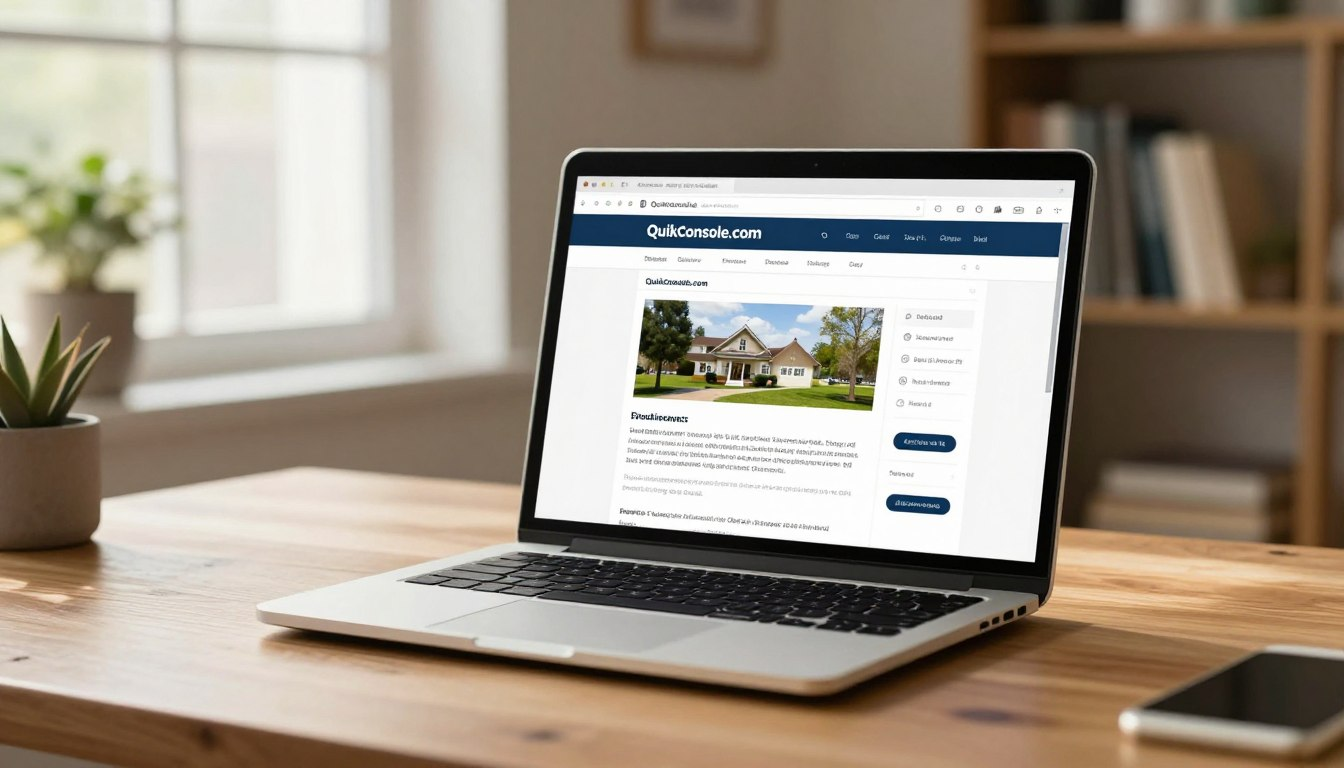
Quikconsole.com is best treated as a free-to-read content website, not a verified software platform. The gap is clear: the site publishes articles, while some online descriptions claim a working console product. That distinction matters when you are researching software or considering a request for sensitive information.
I found that ordinary reading does not require an account or payment. The pages show a publication, not a demonstrated software dashboard. TLS is the encryption protocol that protects data sent between a browser and a website. Encryption can protect a connection, but it does not prove a product works.
This review separates what a visitor can see from claims that lack a working demonstration or documentation. I would read it as an information site, but verify any product or payment request separately.
What Is Quikconsole Com?
The domain presents itself through published articles rather than a demonstrated software dashboard. Its visible purpose is publishing information, not providing a confirmed software platform.
That difference matters because a website can discuss software without offering software. Published articles are evidence of a content website, not an interactive product.
A WordPress Content Website
Quikconsole.com runs on WordPress and uses the Fairy Dark theme. Those details describe the site’s publishing system and visual design, not a separate application.
The pages are arranged as articles across several subject areas. A reader can open a post and read its content, much as they would on another content website.
A publication may include practical advice, explainers, or opinion pieces. That format differs from software, which lets users carry out tasks through controls, forms, or an account dashboard.
The name can lead a visitor to expect something more technical. A “console” may mean a developer interface, gaming controls, or an administrative dashboard.
Treat the exact domain as a publication unless a working product is clearly presented.
Why the Name Creates Expectations
Each meaning of “console” points toward a tool a person can use. A developer console might support code work, while gaming controls might manage a player’s settings.
An administrative dashboard might show account data or let an operator change system settings. Publishing articles does not establish any of those functions.
The Fairy Dark theme also does not change the site’s basic role. WordPress can support many kinds of publishing sites, and a theme mainly shapes how pages look.
I would look for a working sign-in flow, clear product instructions, and documentation before treating a site as software. A product page alone is not the same as a usable product.
When the name and the visible pages point in different directions, the pages offer the stronger clue. Treat the exact domain as a publication unless a working product is clearly presented.

How the Site Works
A visitor can open and read the site without registering or paying for access. The basic experience is browser access to pages and articles.
During one inspection in 2026, every page I requested opened without an error. A successful page load shows that a page opened, not that software features work.
- Open the exact domain in a browser.
- Select a page or article from the site.
- Read the article in the browser window.
- Use the site navigation to continue to another page.
This sequence covers ordinary free reading. It does not require an application download, software setup, or product account.
A comment form is different from reading an article. Its sign-in prompt relates to commenting, not to the basic pages a visitor can browse.
Page navigation helps readers move through the publication. It should not be mistaken for a software menu simply because it appears in a website header.
For simple reading, start with a regular article page rather than looking for a software setup flow.

Topics and Categories on Quikconsole.com
The navigation spans 12 named categories, from Technology and Finance to Pets and Real Estate. That range can help a reader find a broad introduction to a subject.
Category names organize pages; they do not prove that each topic has the same depth. Choose an article for its fit with your question, not its category label alone.
The 12 Navigation Categories
The navigation lists Technology, Digital Marketing, Finance, Business, Education, and Health. These headings cover common questions about work, money, learning, and well-being.
The remaining categories are Lifestyle, Pets, Travel, Law, Home Improvement, and Real Estate. Together, the 12 headings span everyday interests and more specific areas.
A broad menu makes browsing easier when you have only a general topic in mind. It does not show how often a category is updated or how much detail each article offers.
How to Choose an Article for Your Question
A technology explainer may help when you need a plain-language introduction to a tool or concept. A finance overview can offer context before you compare a specific money choice.
For a home-improvement question, look for a post that addresses the exact repair or project. A general article about homes may not cover the details of your task.
Digital marketing and business topics can also overlap, but the right article depends on what you need to know. Check whether its title and main points match your question.
A category is a filing label, not a credential. A legal or health topic calls for extra care because a broad summary may not fit your situation.
Publication dates can matter when a subject changes over time. Pick an article whose subject and publication date match the question you need answered.

Verified Website Features
The clearest verifiable functions are ordinary publishing and article browsing. These are reader-facing tasks, rather than operational software functions.
The newest homepage post I observed was dated October 14, 2026. An active article page is evidence of a working publication, not evidence of an interactive console.
| Website activity | What a visitor can do | What it establishes |
|---|---|---|
| Reading an article | Open and read a published post | Article content is available |
| Browsing category pages | Move between topic pages | Content has navigation |
| Opening site information pages | Read About and policy pages | Site information is available |
These functions are useful for a reader who wants to browse information. They show how the publication presents its content to visitors.
Category links can group related articles, while site information pages explain the publisher’s stated rules. Neither activity proves that a visitor can manage a cloud system or run automation.
A content website may appear polished and still have no separate software service. The visible actions here stay within reading and navigation.
That boundary helps keep product claims in perspective. An active article page is evidence of a working publication, not evidence of an interactive console.

Product Claims That Remain Unverified
The online feature lists describe a much more ambitious product than the site’s confirmed article-publishing functions. The gap is between descriptions and proof.
A working interface or product documentation would help show that a claimed tool exists and does what it says. Until then, treat each advanced feature as an unverified claim.
AI, Developer, and Automation Claims
Online descriptions associate the name with an AI developer console, dashboards, and workflow automation. Those descriptions do not show a visitor how the features work.
An article about AI or software development is not itself AI software or a developer console. The subject of a post and the product a reader can use are different things.
A real developer tool should explain its purpose and show how users reach its interface. Clear documentation can describe supported tasks and how a user begins.
Automation claims need the same care. A dashboard that runs a workflow should show what it controls and how the user sets it up.
Gaming and Cloud Management Claims
Other descriptions connect the name with gaming management and cloud tools. A technical-sounding name does not prove that those services are available.
A product needs a usable interface or clear documentation, not just a product description. A visitor should be able to understand what the tool does and how it works.
The comparison below shows the kind of evidence that would make each claim clearer. The current status stays unverified because the descriptions alone do not demonstrate the functions.
| Claim | Evidence a reader should expect | Current status |
|---|---|---|
| AI developer console | Working console and product instructions | Unverified claim |
| Automation dashboard | Usable workflow controls and documentation | Unverified claim |
| Gaming management | Working account controls and compatibility details | Unverified claim |
| Cloud tools | Accessible service and setup instructions | Unverified claim |
Keep each advanced feature in the unverified category until it can be demonstrated on the exact service.
Pricing and the Monthly Plans Online
The only safe pricing conclusion is that a branded plan display does not verify a subscription for the content website. A price needs a clear match to the service being sold.
Free article reading does not prove that a paid software subscription exists. Do not treat a price as applicable unless it identifies the service and exact domain.
A QuikConsole-branded gaming page displays three monthly offers: Basic at $29 with 50GB, Pro at $69 with 200GB, and Enterprise at $149 with unlimited storage. Those displayed offers do not establish official pricing for Quikconsole.com’s content website.
The difference matters because similar names can appear on separate pages or services. A branded page may describe an offer without showing that the article site sells it.
Readers should also distinguish a storage amount from a software feature. A plan’s listed size does not explain what the service stores or how a user accesses it.
Before entering payment details, check that the page names the company or operator, the product, and the exact service. A price without that context is not enough to make a sound choice.
Before paying, confirm the exact domain, service being purchased, billing period, and cancellation terms.
Login, Accounts, and Downloads
A WordPress sign-in prompt on a comment form is not proof of a separate Quikconsole.com product account. It relates to comments, not the basic reading experience.
The comment form directs users to the standard WordPress sign-in page. Do not share private account or payment data with an unclear product page.
A comment sign-in can support a visitor who wants to post on a WordPress site. It does not establish access to a product dashboard or software account.
Before submitting information, stop if a page’s purpose is unclear. Do not enter any of the following into an unverified product page:
- An email password
- Gaming account credentials
- API keys
- Payment details
- Private documents
A download prompt deserves the same caution. A file should have a clear publisher and purpose before anyone installs it.
Unexpected applications can ask for access a visitor did not mean to grant. A name that resembles a known product is not enough to identify the file’s maker.
Do not install an unexpected file or enter a reused password to test an unclear service.
Is Quikconsole.com Safe to Browse?
Ordinary article browsing is a lower-risk activity than connecting accounts or submitting private information. Reading alone does not call for the same trust as sharing data.
Quikconsole.com loads over HTTPS with active TLS encryption. That protects data in transit, but it does not prove who runs the site or whether a product works.
What HTTPS and TLS Protect
HTTPS uses TLS to encrypt data sent between a browser and a website. This can help protect information while it travels across the connection.
Encryption is useful when a browser loads a page, but it has limits. It does not confirm that an article is accurate or that an operator is honest.
In the 2026 audit, Google Safe Browsing showed no malware or phishing flags for the domain. That result is a limited check for known threats, not a full review of every page.
What a Clean Safety Check Does Not Prove
A clean malware or phishing check does not prove ownership, content accuracy, or software legitimacy. It only tells a reader about the check’s findings for that domain at that time.
A page can use encryption while making claims that have not been demonstrated. A clean check also cannot establish that a payment request belongs to the content website.
Privacy depends on more than the connection between a browser and a page. Readers still need to judge what information a site requests and why.
Encryption and a clean safety check are useful signs for ordinary browsing. Treat encryption and a clean safety check as limited signals, not a guarantee about every request or claim.
Checks Before Sharing Personal Information
A page asking for personal details deserves a closer look before you type anything. Start with the request itself, not the design of the page.
A familiar logo or name can appear on a lookalike domain. Check the full domain and the reason for the request before submitting data.
Verify the Exact Domain
Read the full spelling in the browser’s address bar. A lookalike may add words, change letters, or use a different ending from the exact domain.
Then follow the request back to the site’s own navigation. A request reached through a separate page may not belong to the publication you meant to visit.
Check the Request and Its Purpose
Four checks can help you judge an unexpected request:
- Read the full domain spelling in the address bar.
- Follow the request back through the site’s navigation.
- Identify why the information is needed for the stated task.
- Look for a clear explanation of privacy practices.
A relevant request should make sense for the task. A request that appears without a clear reason deserves more caution.
A privacy explanation should tell readers how the site says it handles information. A vague statement does not explain why a specific detail is needed.
Stop if the page does not name a clear operator or explain its request. If the request has no clear purpose or operator, stop before submitting the information.
Ownership, Policies, and Transparency
The footer provides several policy and information pages worth reading before trusting a data request. These pages can explain stated rules, but they do not prove who operates a separate product.
The footer links to About, Editorial Policy, Privacy, Terms, DMCA, and Disclaimer pages. Those six pages offer places to review the site’s stated policies, not proof of software ownership.
An About page can describe the publisher’s stated purpose. The Editorial Policy can explain how the publication says it handles writing and review.
Privacy and Terms pages can set out the site’s stated rules for data and use. A Disclaimer may explain the limits the publisher places on its content.
A DMCA page can describe how the site handles copyright notices. That information may help readers understand a site process, but it does not identify a software operator.
Policy pages are useful when their statements are clear and specific. A page’s presence alone does not confirm that every practice follows the stated policy.
I would separate the publication’s identity from any service named in online descriptions. Use policy pages to understand stated practices, then verify the operator separately if a service asks for more trust.
How to Assess Article Quality
I would judge an article by its evidence and date, not by how confidently it is written. Specific support matters more than a polished tone.
The Editorial Policy says writers may use AI tools for outlining and language, and advises readers to verify important details independently. Check the article’s evidence before relying on its claims.
Check the Author, Date, and Evidence
Use four checks when judging a post:
- Look for the author’s identity and relevant background.
- Check the publication date.
- Follow links to primary evidence.
- See whether important claims can be confirmed independently.
The newest post I observed on the homepage was dated October 14, 2026. A recent date can help, but it does not replace support for a claim.
Look for links to original records, official guidance, or other direct evidence. A post that states a fact without showing its basis gives readers less to check.
An author’s name can help readers understand who wrote a piece. It does not prove expertise unless the writer’s role or relevant experience is clear.
Use Extra Care With High-Stakes Topics
Health, legal, financial, and security choices can affect people in serious ways. Confirm those claims with appropriate authoritative sources or a qualified professional.
A general article may explain a term or outline a common issue. It may not account for a person’s health history, local law, finances, or device setup.
Use the post as a starting point when it helps you frame a question. Treat an unsourced high-stakes claim as a prompt for further checking, not as a final answer.
Content Website Versus Software Platform
A content website helps me read information, while software is meant to let me perform tasks through an interface. The main difference is reading versus taking action.
A developer console commonly needs authentication instructions, API documentation, and integration details. Software claims become clearer when a working interface and its instructions are available.
| Attribute | Content website | Software platform |
|---|---|---|
| Primary activity | Reading pages and articles | Performing tasks in a tool |
| User interface | Pages, categories, and links | Controls for product functions |
| Documentation | Article text and site information | Setup, use, and integration steps |
| Typical evidence of function | Published pages that open | Working interface and task results |
These types of sites serve different needs. A publication arranges information so readers can find and read it.
A software platform is built around actions a user can perform. Instructions should explain how to use those tools and what they support.
For a developer console, authentication details show how users gain access. API documentation explains how the service connects with other software.
Integration details can help a developer judge whether a tool fits an existing system. Those instructions are different from general articles about technology.
Choose a tool for a task only after its working interface and instructions are clear.
Who Benefits From Reading the Site?
A reader exploring a topic may find a broad article site more useful than someone searching for a working technical console. Its clearest role is general reading.
A person looking for an introduction to technology, finance, or health may find a relevant starting point. Readers who need a working tool should look for a demonstrated product.
Casual Readers Looking for a Starting Point
A casual reader may want a simple explanation before deciding what to learn next. An article can help introduce a term, describe a common issue, or suggest questions to explore.
Someone learning about productivity may also benefit from a broad overview. The value comes from gaining context, not from assuming the article provides a product or service.
A reader comparing general ideas may use the site to find a topic worth exploring further. The article should still fit the reader’s specific question.
For everyday curiosity, a free article can be a convenient first stop. It takes less effort than setting up a new tool when the goal is simply to understand a subject.
Readers Who Need a Verified Tool
Someone who needs a developer console for work should seek a documented product with a usable interface. An article describing development tools cannot perform a coding task.
A gamer looking for gaming management needs a service that shows what accounts and systems it supports. A cloud task also calls for clear setup details and working controls.
Task-critical work depends on a tool that can be tested and understood. A descriptive article may offer background, but it is not a replacement for software.
Match the site to the job of learning, not to a job it has not demonstrated.
Strengths and Limitations
The site’s clearest strengths belong to general reading, while its main limitation is confusion about its product identity. The review depends on that distinction.
Free access and a wide range of topics help visitors browse without a setup process. Neither broad coverage nor easy access proves software capability or authority on every topic.
| Area | Strength | Limitation |
|---|---|---|
| Topic breadth | Articles cover many subjects | Coverage does not prove deep expertise |
| Ease of access | Free reading without signup | Reading access is not product access |
| Product clarity | Published pages show a content site | Online descriptions suggest other functions |
| Decision-making value | Articles can introduce a question | High-stakes choices need stronger evidence |
For casual browsing, broad coverage can make it easier to find a subject that interests you. The site also lets visitors read without an account.
Product clarity is weaker because the name and some online descriptions suggest tools beyond the confirmed article pages. That can create product confusion for someone expecting an interactive service.
Articles may help readers frame a question or learn basic terms. They should not stand in for expert guidance when a choice depends on exact facts.
Use the strengths for discovery, and account for the limitations when a decision depends on accuracy or functionality.
When to Use the Site and When to Look Elsewhere
Use the site for casual reading when an article fits your question, but do not substitute it for a verified service. The right choice depends on the task.
Online descriptions claim PlayStation, Xbox, and Nintendo Switch management, but those claims do not verify compatibility or a working console-control service. Use official console services for gaming account actions.
- For casual topic discovery, read an article that matches what you want to learn.
- For a consequential decision, confirm important details with an authoritative source.
- For an interactive gaming or developer tool, choose a documented service with a working interface.
A broad article can help you get familiar with a subject. It is not a substitute for a product that must perform a specific task.
For account actions, use the official service made for the console or account you intend to manage.
Gaming account management can involve access to private settings and purchases. A similar name does not establish that a page belongs to a console maker.
High-stakes decisions need evidence that fits the decision. General information can help you prepare, but the final answer should come from a suitable authority.
For any account action, confirm that the service and domain are the ones you intended to use.
You May Also Read: Sedecordle
Conclusion
My verdict is that Quikconsole.com is useful to assess as a content website, not as a confirmed software platform. The visible evidence supports reading articles, while advanced software features and pricing should not be assumed.
Open the exact domain and inspect the page that relates to your task. Check what the page actually offers before taking action.
A clear article page supports a reading purpose. A separate product claim needs its own clear service details and working tools.
Before sharing information or paying, verify the exact service and the purpose of the request.
FAQ
What does the Fairy Dark theme mean for a visitor?
The Fairy Dark theme identifies the WordPress theme used for the site’s presentation. It can shape page layout and visual style, but it does not prove that the site has a software dashboard. A theme also does not establish the site’s security level. I would treat it as a design detail, not as evidence about product features or trust.
Does a WordPress theme mean Quikconsole.com is a software product?
No, a WordPress theme does not mean Quikconsole.com is a software product. A publishing site can use WordPress and a theme to organize and display articles without offering a separate application. The site’s visible pages show article publishing. A separate product would need its own clear purpose and working interface.
Can I post a comment without signing in?
The comment form directs users to the standard WordPress sign-in page, so it does not offer an obvious way to comment without signing in. That prompt relates to commenting on a post, not to reading the site. It also does not establish a separate software account. Visitors can still read the site’s pages without signing up.
Are the QuikConsole-branded gaming plans official prices for the content website?
No, the displayed QuikConsole-branded gaming plans do not establish official prices for the content website. The page shows monthly offers of $29, $69, and $149, but those amounts do not prove that they apply to the article site. A price only makes sense when it clearly names the service being sold.
Can I use a Quikconsole.com article as my only source for a health or financial decision?
No, do not use a Quikconsole.com article as your only source for a health or financial decision. Such choices can depend on personal details, current rules, or facts that a general post may not cover. Confirm important claims with an appropriate authoritative source or qualified professional. An article can help you prepare questions, but it should not settle a high-stakes choice alone.
What should I do if a page asks to connect my gaming account?
Verify the exact domain and use the relevant console maker’s official account service rather than relying on a similar name. A page that asks to connect a gaming account should have a clear purpose and operator. Do not assume that a gaming claim proves compatibility with PlayStation, Xbox, or Nintendo Switch. Use the service you intended to reach.
Does HTTPS prove that a website operator is legitimate?
No, HTTPS does not prove that a website operator is legitimate. TLS encrypts data as it travels between a browser and a website, which helps protect the connection. It does not establish ownership, product functionality, or accuracy. Readers still need to judge what a page offers and why it asks for information.
 Leonardo Seo